SASE, SAML & Modern Identity: A Brain Dump, Part 1 — SASE
This is a second series, different from the networking fundamentals one. Where that series started at the Physical layer and worked up, this one is focused on how modern enterprise security is actually architected — specifically SASE, SAML, and OIDC/OAuth 2.0. These three topics kept showing up in EVERY security-adjacent conversation I was having, and I found that most resources either oversimplify them into marketing diagrams or go straight into RFC-level depth without any context. Same approach as before: my notes, cleaned up and written (with the help of my LLM counterparts 😉 ) for someone who wants to actually understand the concepts, not just recognize the acronyms.
The Problem SASE Is Solving
Picture a company with a branch office in Ohio. A user there wants to open Microsoft 365. In a traditional enterprise network, that request doesn't go straight to Microsoft's servers. It travels from the Ohio branch over an expensive private MPLS circuit all the way to the hub in New York, where it hits a cluster of physical firewalls, gets inspected and NAT'd, gets pushed out to the internet, reaches Microsoft's servers, and then the response makes the entire reverse journey back. Round-trip across the country before a spreadsheet opens.
The latency is significant. The TCP handshake alone takes longer because of the geography. And the MPLS circuit carrying all of this is not cheap. This is the legacy hub-and-spoke model, and it made sense when everything lived in the corporate datacenter. It makes no sense when your users are logging into cloud services and your "perimeter" is a concept rather than a physical location.
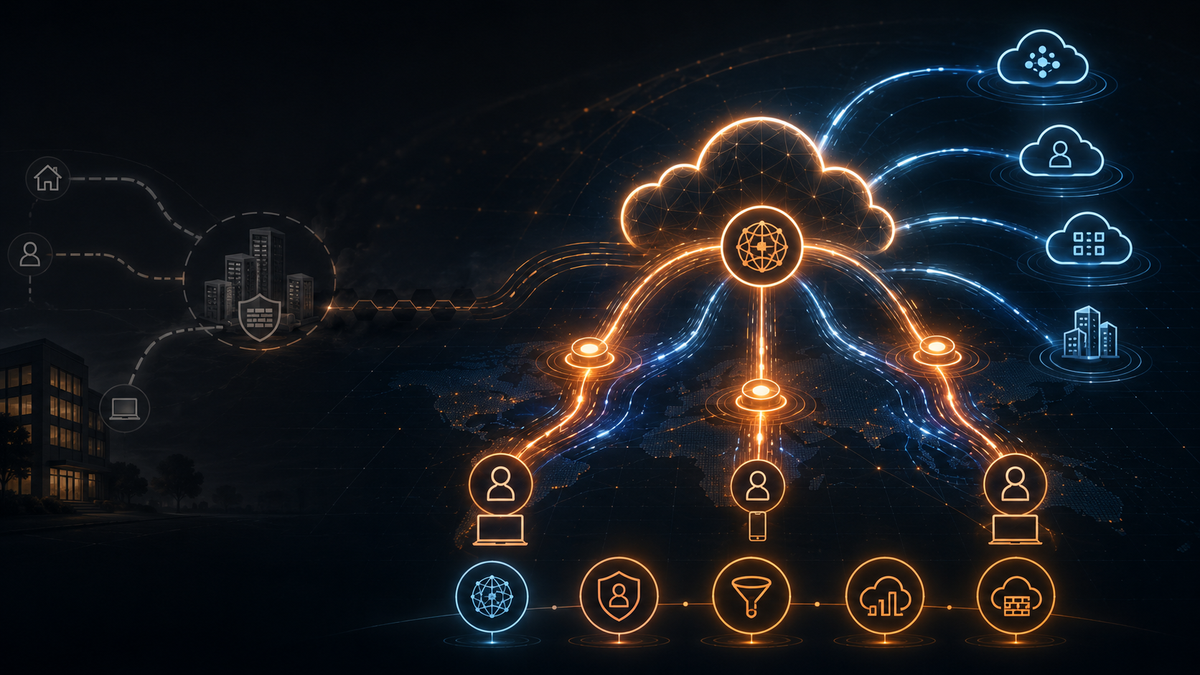
SASE (Secure Access Service Edge) collapses five networking and security functions into a single cloud-delivered service: SDWAN, ZTNA, SWG, CASB, and FWaaS. Traffic goes to the nearest SASE Point of Presence instead of the corporate hub, gets inspected there, and reaches its destination from the closest exit point. Users in Ohio hit a POP 5ms away. The expensive backhauling stops.
SDWAN
Traditional routers run their routing protocols, build topology tables, and make forwarding decisions based on local metrics. If a link degrades or goes down, the router waits for dead interval timers to expire, floods the network with routing updates, and recalculates the shortest path tree. The whole process is slow, reactive, and the router has no visibility into application performance requirements. If your VoIP call starts breaking up because the MPLS circuit has 200ms of jitter, the router doesn't know or care.
The analogy from the notes is accurate: it's like navigating with a paper map while stuck in traffic. You're committed to the highway with no way to recalculate. SDWAN is the GPS — it knows about the traffic jam and reroutes you before you're stuck.
OMP and the Control Plane
In Cisco SD-WAN, the control plane runs on OMP (Overlay Management Protocol). Other vendors implement the same general idea differently, but Cisco’s model is a useful way to understand what the SD-WAN control plane is actually doing. Unlike BGP, which advertises IP prefixes and AS paths, OMP distributes three types of information:
IP prefixes: Similar to what BGP does. The reachability information for networks across the fabric.
TLOCs (Transport Locations): A combination of a router's system IP address, the transport color (a label identifying the type of underlay — MPLS, broadband internet, LTE), and the encapsulation type, which is almost always IPSec. TLOCs are what allow edge routers to build tunnels to each other over whatever underlay circuits they have available.
Service routes: Indicate where specific network services like firewalls or load balancers exist within the fabric, so traffic requiring inspection can be steered to them.
When a new edge router comes online, it reaches out to the control plane. The control plane calculates the topology centrally and pushes down the exact IPSec encryption keys and routing information the edge router needs via OMP. The edge routers then use those OMP updates to build encrypted IPSec tunnels directly to each other. If the control plane goes offline, the edge routers continue communicating based on their last known good update — the data plane survives a control plane outage.
Traditional routing used VRFs to keep routing tables separate for different clients or traffic types. SDWAN uses the same concept but calls them VPNs. VPN 512 is typically the management/control plane network. VPN 10 or similar is used for data plane traffic. Each VPN maintains its own routing table and forwarding logic.
BFD and Application-Aware Routing
SDWAN edge routers are continuously probing their WAN links using BFD (Bidirectional Forwarding Detection). BFD packets travel across IPSec tunnels every few milliseconds, measuring latency, jitter, and packet loss on each path — whether that's the MPLS circuit, the broadband connection, or the LTE backup.
The control plane pushes down application-aware routing policies to the edge devices. A policy might state that RTP traffic used for voice calls requires less than 150ms latency and less than 1% packet loss. When a VoIP packet arrives at the edge router, the router reads the Layer 4 headers, identifies it as voice traffic, checks its live BFD telemetry, and selects the interface that currently meets those criteria. If MPLS is showing 180ms of latency, the router shifts voice to broadband. It's making per-packet decisions based on real-time path quality and application requirements, not just static routing metrics.
This is application-aware routing rather than purely IP-aware forwarding. The router understands what the traffic is and what it needs, not just where it's going.
The Gap SDWAN Doesn't Fill
SDWAN is excellent at transport. It is not a security tool. If a ransomware payload arrives on an SDWAN interface, the fabric will deliver it to your core servers with optimized efficiency. The network trusts anything on it. SDWAN solved the "how do we get traffic where it needs to go quickly" problem. It did nothing for "how do we ensure only the right traffic gets anywhere near our resources." That's ZTNA.
ZTNA
With a traditional IPSec or SSL VPN, successful authentication drops your device onto the corporate subnet. You get an IP address on the LAN. Even with ACLs in place, your machine can attempt to route packets to any IP on that network. You can run nmap. You can sweep the subnet for open SMB ports. You have lateral movement capabilities because your device is a node on the network like any other.
ZTNA (Zero Trust Network Access) breaks that model entirely. It uses identity-centric microsegmentation and a reverse-proxy architecture. You don't get an internal IP address. You're never placed on the network. You're connected only to the specific application you're authorized to reach — the rest of the network is invisible to you at the routing layer.
How It Works: The Full Flow
Take a concrete example. You need to SSH into a Linux server inside an AWS VPC.
The ZTNA agent on your laptop intercepts the SSH connection request. Instead of routing it directly to the server, it initiates a TLS connection to the nearest SASE POP. The POP redirects the authentication request to the Identity Provider using SAML or OIDC. You authenticate at the IDP. The IDP generates an assertion — a cryptographically signed document containing your identity and group membership — and passes it back to the POP. Identity is verified.
Next, the ZTNA agent inspects your endpoint. It queries your local operating system and feeds telemetry to the SASE policy engine: Is the disk fully encrypted? Is the EDR solution running and up to date? Are there active malware alerts? Is the OS patched? The policy engine evaluates this posture in real time. If identity is clean and endpoint posture meets the policy requirements, the request moves forward.
Now, the Linux server in AWS doesn't have a public IP with port 22 exposed to the internet. That would be a significant attack surface. Instead, inside the VPC, right in front of that server, is a ZTNA connector — also called an access proxy. That connector initiates an outbound persistent encrypted tunnel to the SASE POP. The connection is outbound from the server side, which means no inbound firewall ports on the AWS security group need to be opened. The connector has a tunnel to the POP. Your laptop has a tunnel to the POP. The POP is the broker.
Once you're authorized, the POP stitches those two tunnels together — and only for port 22. You cannot ping anything else on that VPC. You cannot reach any other port on that server. You cannot see other devices on the network. The ZTNA layer enforces surgical, application-level access, and nothing broader.
Agent-Based vs Agentless ZTNA
ZTNA has two deployment modes:
Agent-based (Client-Initiated): A software agent is installed on the device. Provides the most granular security, continuous monitoring, and device health checks. The SSH example above is agent-based.
Agentless (Network-Initiated): Users access applications through a browser-based portal with no software installed. Ideal for third-party contractors, vendors, or personal BYOD devices where installing an agent isn't feasible or appropriate.
SWG
ZTNA secures access to private applications. It doesn't do anything about what happens when a user navigates to a website. They click a phishing link, download a malicious PDF, browse to a compromised domain — all of that bypasses ZTNA entirely because they're not accessing an internal resource. That's where the Secure Web Gateway comes in.
In legacy architecture, companies ran a web proxy in the datacenter DMZ. Remote users pointed their browsers at that proxy to filter URLs and scan content. The obvious problem: remote users in Ohio routing their internet traffic through New York just to check CNN results in the same latency problem as before.
The SWG is a microservice running inside the globally distributed SASE POPs. When you're at a coffee shop, your internet-bound traffic tunnels automatically to the POP nearest to you — maybe 5ms away in the same city. Deep packet inspection happens in the cloud on elastic compute, not on a physical appliance straining in a closet.
SSL Inspection
Most web traffic is encrypted via TLS. The SWG can see IP headers, port numbers, and SNI, but the Layer 7 payload is encrypted. To inspect it, the SWG performs SSL inspection — a controlled man-in-the-middle between the user and the destination.
This requires that the SASE provider's root CA certificate be deployed to the trusted certificate store of every corporate device. This is done via Active Directory Group Policy or an MDM solution like Microsoft Intune.
The inspection flow, step by step:
- You click a link. Your browser begins DNS resolution, TCP handshake, and TLS handshake.
- The SWG in the SASE POP intercepts the TLS Client Hello. The SWG then reaches out to the actual destination web server itself, performs the full TLS handshake independently, and obtains that server's legitimate certificate.
- The SWG cannot pass the real server's certificate back to your browser. It doesn't have the private key for that website, so if your browser encrypted its request with the real server's public key, the SWG couldn't decrypt the payload to inspect it. Instead, the SWG dynamically generates a forged certificate on the fly: same SANs, same expiration dates, same details as the legitimate certificate, but signed with the SASE provider's root CA. It hands this forged certificate to your browser in the Server Hello.
- Your browser sees the certificate, checks its trusted CA store, finds the SASE provider's root CA (which we installed earlier), and accepts the certificate without any "connection not secure" warning. The browser encrypts its HTTP request using the SWG's public key. The SWG decrypts it using its private key and now has the full plaintext payload. It runs it through an antivirus engine, checks file hashes against threat intelligence feeds, and can send suspicious files to a cloud sandbox for detonation.
- If the content is clean, the SWG re-encrypts the payload using the session keys negotiated with the real web server and forwards it. Terminating one TLS session, decrypting, scanning, re-encrypting, and establishing a second TLS session all happens within milliseconds because the underlying compute is elastic infrastructure in the cloud, not a fixed-capacity physical appliance.
- The SWG blocks known-malicious domains and scans downloads. What it cannot do is understand application context within trusted destinations. If a user goes to Microsoft 365 and begins uploading an entire corporate database to their personal OneDrive, the SWG sees the destination (Microsoft, trusted), sees HTTPS, and passes the traffic. It has no idea the user is exfiltrating data. The SWG is URL and payload aware. It's not tenant-aware or behavior-aware within SaaS applications. That requires CASB.
CASB
CASB (Cloud Access Security Broker) provides visibility, compliance enforcement, and data security specifically for SaaS applications. Two deployment models:
API-Based CASB
Out of band. The CASB doesn't sit in the traffic path between the user and the SaaS application. Instead, it connects directly to your SaaS tenants using OAuth 2.0 and continuously polls their APIs: what files were uploaded, who shared what link, whether there are overly permissive sharing settings, which third-party apps have been granted access.
The limitation is the polling interval. If an employee uploads the company's source code to a private GitHub repository, an API-based CASB only detects it after the next polling cycle runs — which might be every 5 minutes. The data is already gone before the alert fires. API-based CASB is best for auditing data at rest, revoking risky third-party application authorizations, and historical visibility. Not real-time prevention.
Inline CASB
Sits directly in the data path, integrated with the SWG inside the SASE POP. Since the SWG is already decrypting TLS, the inline CASB can inspect the full request and response content and make real-time policy decisions.
A concrete example: an agentless remote user on a personal BYOD device tries to access Microsoft 365. Your enterprise policy requires they can only access the corporate tenant, not a personal Microsoft account. Without CASB, the SWG would see the traffic going to login.microsoft.com, recognize Microsoft as trusted, and let it through. With inline CASB:
- The user navigates to
login.microsoft.com. Traffic is tunneled to the SASE POP. - The SWG performs TLS decryption, exposing the plaintext GET request.
- The inline CASB engine takes over, parses the HTTP headers, and identifies this as an authentication request for Microsoft.
- To enforce the tenant restriction, the CASB dynamically modifies the outbound HTTP request mid-flight: it injects a custom HTTP header — a
Restrict-Access-To-Tenantsheader containing a comma-separated list of approved corporate directory IDs. - The CASB recalculates TCP checksums (the payload length changed when the header was injected), re-encrypts the packets, and forwards them to Microsoft's servers.
- Microsoft receives the request with the restriction header and rejects any authentication attempt using personal credentials. The user trying to log in with their personal Outlook account gets blocked.
The user never sees any of this. Their requests were modified mid-flight by something they don't know exists. Agentless, granular, invisible control over SaaS behavior.
FWaaS
Physical next-generation firewalls bolted into branch office racks are expensive. A high-throughput branch firewall with active security subscriptions can run between $20,000 and $50,000 in capital expenditure per site. That's before managing hardware lifecycles, scheduling downtime for patching, upgrading firmware, and dealing with CPU exhaustion when you enable IPS or SSL decryption. Multiply that across dozens or hundreds of branch offices.
FWaaS (Firewall as a Service) moves those NGFW capabilities into the cloud. CAPEX becomes OPEX. Compute is elastic — if a branch suddenly needs to inspect 5 Gbps instead of 1 Gbps, the cloud allocates more resources automatically. No hardware to rack, no forklift upgrades.
Intelligent Hybrid Edge
A naive FWaaS deployment creates its own problem. If every packet, regardless of destination, must travel to a SASE POP for inspection, a user printing to a printer two VLANs away in the same office would generate traffic that leaves the building, hits a POP, gets inspected, and comes back. Unnecessary latency for traffic that never needed to leave the building.
Mature SASE deployments solve this with intelligent hybrid edge processing. The control plane pushes localized segmentation policies down to the SD-WAN edge device at the branch. The edge device enforces those policies locally for traffic that stays on-site.
The flow:
- A user on VLAN 10 sends a print job to a printer on VLAN 20 in the next room. The SD-WAN edge device receives the packet and checks the source and destination IPs. Both are on locally connected subnets. The management plane policy says this traffic stays local. The edge device performs inter-VLAN routing itself, enforces the basic ACL (VLAN 10 can reach port 9100 on VLAN 20), and switches the traffic at LAN speed. It never touches the WAN.
- That same user initiates an SMB file share connection to a server at a branch office across the country. The destination IP is not local. The edge device encapsulates that traffic and sends it through the SD-WAN tunnel to the nearest SASE POP. The FWaaS microservice there performs full stateful inspection, runs the traffic through the IPS engine looking for lateral movement signatures, applies granular application-aware firewall rules, and forwards the traffic to its destination.
The heavy lifting — IPS, DPI, inter-site security enforcement — happens in elastic cloud compute. Simple local routing happens at the edge. Neither compromises the other.
The Five Pillars in Summary
- SDWAN handles intelligent, application-aware transport.
- ZTNA secures access to private applications with zero network presence.
- SWG inspects and filters outbound web traffic.
- CASB enforces policy within SaaS applications.
- FWaaS replaces physical firewalls with elastic cloud-native inspection.
Why Single-Pass Architecture Matters
Many vendors claim to offer SASE by taking five virtual machines, deploying them in a cloud datacenter, and daisy-chaining them together. This is service chaining, not SASE. It's worth understanding why the distinction matters.
In a service-chained architecture, a packet enters the POP and hits the SWG VM. The SWG decrypts the TLS, inspects the payload, re-encrypts it, and hands it to the CASB VM. The CASB VM decrypts it again, inspects it, re-encrypts it, and hands it to the FWaaS VM. Every hop adds processing delay — decryption, buffer allocation, re-encryption, queue wait. TCP windows collapse under the accumulated latency. Router buffers fill up. The network grinds down.
A mature cloud-native SASE platform uses a single-pass engine built on a microservices architecture with shared memory buffers:
When a packet arrives at a POP, it's loaded into the system's memory once. The single-pass engine performs TLS decryption exactly once. The plaintext payload is in a shared memory buffer. A unified policy engine then applies all security controls simultaneously in parallel: checking the destination against the SWG URL filter, scanning the payload against AV signatures, evaluating the content against CASB data loss prevention patterns, and verifying the application against the FWaaS access control rules — all running in parallel against the same decrypted payload in memory. This is called zero-copy packet processing: the packet isn't being duplicated and passed between VM memory spaces. It's inspected once, comprehensively, then re-encrypted and forwarded.
This is how a SASE platform can process massive volumes of encrypted traffic with single-digit millisecond latency at scale.
The Financial Case
The operational and financial implications are concrete. A fully converged SASE deployment typically costs around $300 to $600 per site per month. Buying SD-WAN, a web security solution, a CASB platform, and firewall subscriptions separately from different vendors and managing them independently costs multiples of that — and that's before factoring in the engineering hours to manage five vendor consoles, correlate logs across separate SIEM platforms, chase down overlapping security subscriptions, and coordinate responses when something breaks across multiple systems.
SASE gives you a single pane of glass for your global network and security posture. When an incident happens, every relevant log is in one place, every policy is in one interface, and your mean time to resolution drops because you're not reconstructing an attack timeline across five different dashboards.
Part 2 covers SAML 2.0: how assertions are structured, how the metadata exchange works, the four bindings, both SSO flows, and the attacks the protocol is vulnerable to.
Part 1 of 3 in the SASE, SAML & Modern Identity series.