Security Concepts: Defenses, Assessment, Response & Frameworks
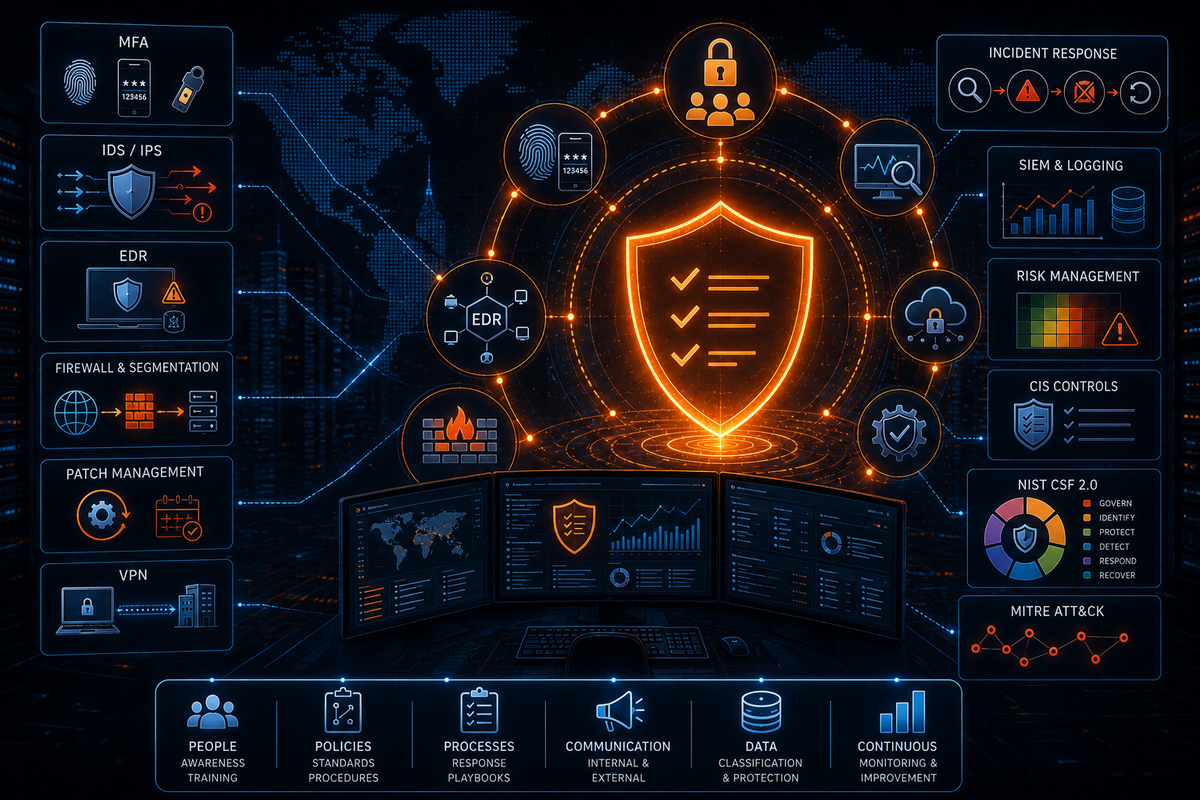
Part 2 continues from Part 1, which covered foundational concepts and the attack landscape. This post covers the defensive controls, assessment methodologies, incident response processes, and industry frameworks you need to know.
Multi-Factor Authentication
MFA (Multi-Factor Authentication) authenticates identity using more than one independent factor. The three factor categories:
- Something you know: Passwords, PINs, security questions.
- Something you have: Hardware tokens (YubiKey), authenticator apps generating time-based codes, smart cards.
- Something you are: Biometrics — fingerprints, facial recognition, retina scans.
Two-factor authentication (2FA) requires exactly two of these. MFA refers to two or more.
The practical benefit: if a password is compromised through phishing, a data breach, or brute force, the attacker still can't authenticate without the second factor. A stolen password alone is no longer sufficient. MFA is one of the highest-return controls in terms of attack prevention per unit of implementation effort.
IDS vs IPS
IDS (Intrusion Detection System): Monitors network traffic or host activity for signs of malicious behavior and generates alerts. Detection only — it doesn't take action to stop the traffic. Operates by comparing traffic against known malicious signatures (signature-based detection) or by identifying deviations from established behavioral baselines (heuristic or anomaly-based detection). Typically deployed inside the network perimeter where it can observe internal traffic.
IPS (Intrusion Prevention System): Does everything an IDS does, but can also take automated preventative action — dropping packets, blocking connections, resetting sessions — based on configured rules. More commonly positioned outside the network perimeter alongside the firewall, on the internet-facing side, where it can intercept threats before they reach the internal network. Can also be deployed internally alongside IDS for defense-in-depth.
Two tradeoffs to understand:
IPS adds latency because it inspects traffic before forwarding it. The performance impact is proportional to inspection depth and traffic volume.
IPS false positives have consequences. A misconfigured IPS that flags legitimate traffic will block it. An IDS misconfiguration generates an alert; an IPS misconfiguration disrupts service. Tuning matters more with IPS.
Both systems use the same detection methods — the difference is in response capability and typical deployment position.
EDR
EDR (Endpoint Detection and Response) is endpoint security that goes significantly beyond traditional antivirus. Where AV relies primarily on signature matching against a database of known malware, EDR uses behavioral analysis and machine learning to identify threats that don't have known signatures.
EDR solutions install an agent on each endpoint. That agent continuously monitors and records activity: file system changes, network connections, process creation and termination, registry modifications, memory activity. It establishes a behavioral baseline for each endpoint and flags activity that deviates from it.
When a threat is detected, EDR can respond automatically: isolating the endpoint from the network, terminating malicious processes, quarantining files, and generating detailed forensic data for investigation. It also provides recommendations for remediation.
The distinction from AV: EDR detects based on behavior, not just known signatures. A novel piece of malware with no existing signature will evade AV but may still be caught by EDR if it behaves like malware — escalating privileges abnormally, attempting lateral movement, making unusual outbound connections.
Firewall Setup and Architecture
Setting up a firewall involves more than configuring rules. The architecture decisions matter as much as the rule set.
Define requirements and scope. Understand what traffic is legitimate, what assets need protecting, and what the network topology looks like before writing a single rule.
Choose the firewall type. A Layer 4 firewall makes decisions based on IP addresses, ports, and protocols. A Layer 7 (application-layer) firewall or NGFW can inspect the application payload, identify specific applications, and apply policy based on content. The right choice depends on requirements and budget.
Configure rules with a default-deny posture. Explicitly allow only traffic that should be permitted. Block everything else by default. Rules should specify source and destination IPs, ports, protocols, and any logging or alerting actions required.
Implement network zones and a DMZ. A well-designed network segments into at least three zones:
- External zone: The internet side. Untrusted by definition.
- DMZ (Demilitarized Zone): Where internet-facing systems live — web servers, email gateways, reverse proxies. Systems in the DMZ are accessible from the internet and are therefore the highest-risk systems. They should contain no sensitive data. If a DMZ server is compromised, the attacker has a foothold, not the keys to the kingdom.
- Internal zone: Where sensitive systems and data reside. The internal network must not be directly accessible from the internet. Access from the DMZ to the internal network should be strictly controlled, routed through a middle tier, and limited to what the specific application flow requires.
The defense-in-depth principle here: an attacker who compromises a DMZ server still faces another firewall layer and restrictive ACLs before reaching internal systems. Add VLAN segmentation to further isolate traffic within each zone.
Test and monitor. After configuration, validate that allowed traffic flows correctly and blocked traffic is rejected. Set up logging and alerting so security events are visible and acted on.
Review regularly. Rules accumulate. Old rules for decommissioned systems linger. False positives indicate rules that need tuning. Regular audits keep the rule set clean and the policy aligned with current network requirements.
System Hardening
System hardening reduces a system's attack surface by eliminating unnecessary exposure points. A default installation of any OS or application contains features, services, and accounts that most environments don't need — and each one is a potential entry point.
Key practices:
- Disable services and ports that aren't needed. Every running service listening on a port is an attack surface that doesn't need to exist if the service isn't used.
- Remove or secure default accounts. Default credentials are publicly documented for every platform. Any default account that isn't disabled or reconfigured is an open invitation.
- Apply current security patches. Unpatched known vulnerabilities are the most common vector for successful attacks.
- Enforce strong authentication. Passphrases of 20 or more characters, SSH key pairs instead of passwords for remote access where possible.
- Follow the principle of least privilege. Accounts and processes should have only the permissions they need to do their job. No more.
- Configure firewalls, antivirus, and IDS/IPS where applicable.
- Use hardening guides. CIS Benchmarks and DISA STIGs provide prescriptive, tested configuration recommendations for specific operating systems and applications.
Hardening is not a one-time action. System changes, software updates, and new deployments require it to be revisited.
Patch Management
Vulnerabilities are discovered continuously. Patch management is the process of keeping systems updated to close those vulnerabilities as quickly as possible.
The priority framework: patch urgency is proportional to severity. Critical vulnerabilities with known exploits in active use warrant emergency patching — within days, or hours for internet-facing systems. High-severity vulnerabilities without active exploitation typically target a patch within one to two weeks. Medium and low severity can follow a monthly or quarterly cycle depending on the organization's risk tolerance.
The ideal pipeline: vendor releases a patch → security team evaluates severity → patch is tested in a development or staging environment → deployed to production. The shorter this cycle, the less exposure time.
An interim measure while patches are being tested and deployed: HIPS (Host Intrusion Prevention Systems). HIPS uses behavioral detection to identify and block exploitation attempts against known vulnerabilities even before the patch is applied. It buys time without leaving systems fully exposed. When HIPS is distributed across the environment, it also provides an additional layer under normal operations — not just as a patching stopgap.
VPN Overview
A VPN (Virtual Private Network) creates an encrypted tunnel for traffic between two points across an untrusted network, typically the internet. The tunnel provides confidentiality through encryption and integrity through authenticated cryptographic checks. It also enables secure access to resources that would otherwise be unreachable from the untrusted network.
Two primary configurations:
Remote access VPN (client-to-site): A single user's device connects to a corporate gateway over the internet. The client runs VPN software that authenticates to the gateway and establishes an encrypted tunnel. All traffic destined for the corporate network travels through that tunnel. Common for remote workers.
Site-to-site VPN: Entire networks are connected together. Two edge routers or firewalls form a persistent encrypted tunnel between them. Users on either side access resources on the other as if they're on the same local network, with no VPN client required on individual devices.
The full mechanics of IPSec VPN tunnels — IKEv1, IKEv2, phase negotiation, encryption domains, NAT traversal, and troubleshooting — are covered in the IPSec VPNs post.
Identifying Compromised Systems
A structured investigation covers multiple layers. Start with what's visible and work toward what's hidden.
Log review: Check system and network logs for anomalies. Unusual login attempts, failed authentications especially from unexpected locations, unauthorized privilege escalation, unexpected outbound connections. Look for deviations from established baselines and cross-reference against known threat indicators.
Live system investigation: On a potentially compromised Windows system, key commands:
Get-Process               # Running processes - look for unusual names or paths
Get-NetTCPConnection      # Active network connections - look for unexpected remote IPs
Get-Service               # Running services - look for unfamiliar entries
Get-LocalUser             # User accounts - look for unauthorized accounts
Get-ScheduledTask         # Scheduled tasks - common persistence mechanism
Get-WinEvent              # Event log entries - filter for security events
Registry interrogation is also relevant — malware commonly achieves persistence through registry run keys.
Memory investigation: If malware is running in memory only (fileless malware), disk-based scanning won't find it. Tools for memory acquisition and analysis:
winpmemordcflddfor memory capture- FTK (Forensic Toolkit) for extraction
- Volatility for analysis of the memory image — process lists, network connections, injected code
Network investigation: tcpdump for live packet capture. Web proxy logs (e.g., Squid) for HTTP/HTTPS traffic history. Look for unusual destinations, unusual data volumes, unexpected protocols, and DNS activity patterns consistent with C2.
Malware investigation: Hash the suspicious file and check it against threat intelligence databases. Run strings to extract readable text from binaries — URLs, IP addresses, and registry keys visible in strings can indicate malware behavior without executing it. Use snapshot tools (Regshot) and process monitors (Procmon) to observe what the malware does when executed in a sandboxed environment. Behavior analysis covers file creation, registry modification, network connections, and process spawning.
Identity Theft Prevention
Core principles:
- Follow established frameworks like CIS Controls and the NIST Cybersecurity Framework for baseline security posture.
- Collect and retain only the sensitive data that's legally required or necessary for operations. Data you don't hold can't be breached.
- Encrypt all sensitive data both at rest and in transit. Cryptographic failures are among the most common causes of sensitive data exposure.
- Enforce strong authentication with MFA on systems holding sensitive data.
- Security awareness training. A significant portion of identity theft originates from phishing or social engineering — technical controls alone don't address it.
Risk, Vulnerability, and Threat
Typically, you'd hear that risk = likelihood x impact. Through my GCIH SANS course, I found the following approach to be more illustrative of actual risk. Three related concepts with distinct meanings:
Vulnerability: A weakness in a system, application, or process that can be exploited. Unpatched software, misconfigured services, weak credentials, and insecure code are all vulnerabilities.
Threat: Any potential source of harm that might exploit a vulnerability. A threat actor, a natural disaster, a hardware failure. A threat encompasses both the actor and the likelihood that the vulnerability will be targeted.
Risk: The product of threat and vulnerability. Formally: risk = threats × vulnerability.
The formula clarifies how to think about risk reduction:
- High threat, low vulnerability: risk is manageable. The attack surface exists but isn't severe enough to cause significant damage if exploited.
- Low threat, high vulnerability: risk is still manageable. A severe weakness that nobody is likely to exploit has limited practical impact.
- High threat, high vulnerability: this is critical risk. A well-known, easily exploitable weakness being actively targeted by capable actors.
Reducing risk means either reducing the threat (making the target less attractive, disrupting attacker infrastructure) or reducing the vulnerability (patching, configuration hardening, compensating controls). Risk cannot usually be eliminated entirely — it can be reduced to an acceptable level.
Vulnerability Assessment vs Penetration Testing
Both evaluate security posture. They serve different purposes and are appropriate in different circumstances.
Vulnerability assessment: Automated scanning tools systematically probe systems and networks for known vulnerabilities and misconfigurations. The output is a prioritized list of findings, typically scored against CVSS (Common Vulnerability Scoring System). Fast, cost-effective, and broad in scope — a large environment can be scanned regularly.
The limitation: vulnerabilities are identified but not exploited. The scan doesn't demonstrate whether a finding is actually exploitable in the specific environment, and it won't catch complex weaknesses like business logic flaws that don't have signatures. For systems that cannot tolerate the risk of active exploitation — critical production infrastructure, safety systems — this is also the safer option.
Penetration test: A skilled tester (authorized, hence white-hat) simulates a real-world attack. They attempt to exploit found vulnerabilities, chain multiple low-severity findings together, identify business logic flaws, and demonstrate actual impact. The output shows not just what exists but what can actually be done with it.
More expensive, more disruptive, requires a defined scope and rules of engagement. Appropriate when an organization needs to understand its real-world resilience — post-incident, pre-compliance audit, or when confidence in existing controls needs validation.
The choice between them depends on objectives, budget, and risk tolerance. Vulnerability assessments are the continuous baseline. Penetration tests are periodic deep validation.
Black Box Penetration Testing
In a black box test, the tester receives no internal information about the target — no network diagrams, no credential sets, no documentation. They approach the engagement exactly as an external attacker would, starting from nothing but a defined target scope (typically a domain or IP range).
This simulates an opportunistic or targeted external attack. It reveals what's exploitable by someone without privileged knowledge, but may miss vulnerabilities only discoverable with insider context. White box tests (full disclosure) and grey box tests (partial information) provide different coverage tradeoffs.
Penetration Test Steps
A structured penetration test typically follows this sequence:
- Information gathering: Passive research using publicly available sources — WHOIS, DNS records, company websites, job postings, social media, LinkedIn. Building a picture of the target without touching their systems.
- Reconnaissance: Active probing begins. DNS enumeration, network scanning, service discovery. The line between passive and active reconnaissance depends on whether traffic reaches the target's systems.
- Discovery and scanning: Port scanning, service version detection, OS fingerprinting. Establishing what's running and where.
- Vulnerability assessment: Mapping discovered services against known vulnerabilities. Identifying potential entry points.
- Exploitation: Attempting to leverage identified vulnerabilities. The goal is to demonstrate exploitability, not just flag potential findings.
- Gaining and maintaining access: Post-exploitation — escalating privileges, establishing persistence, pivoting to other systems. Demonstrates what an attacker could achieve once initial access is obtained.
- Reporting: Documenting findings with severity ratings, evidence, reproduction steps, and remediation recommendations. The report is the deliverable.
Port Scanning
Port scanning probes a host to determine which ports are open, what services are running, and often what OS version and service versions are present. The primary tool is nmap.
Common scan types and flags:
nmap -sn [target]     # Host discovery only - no port scan, just checks if host is up
nmap -sS [target]     # SYN scan (stealth) - sends SYN, records response, never completes handshake
nmap -sT [target]     # TCP connect scan - completes the full 3-way handshake
nmap -sU [target]     # UDP scan
nmap -sV [target]     # Version detection - identifies service and version on open ports
nmap -O [target]      # OS detection
nmap -A [target]      # Aggressive - runs -O, -sV, script scanning, and traceroute together
The SYN scan (-sS) is the classic stealth scan. It sends a SYN, waits for the SYN-ACK that indicates an open port, and then sends RST rather than completing the handshake. Since no full connection is established, many standard logging systems don't record it. A TCP connect scan (-sT) completes the handshake and is more likely to be logged but works even without raw socket privileges.
An RST response usually means the target actively rejected the connection, often because the TCP port is closed. If a firewall silently drops the probe, you usually see no response and the port may appear filtered. though it is common for security policies to be configured to "reject" traffic by sending a TCP RST back to the sender.
Traceroute
Traceroute reveals the network path that packets take from source to destination. It works by sending packets with incrementally increasing TTL (Time To Live) values.
A packet with TTL 1 reaches the first router and gets dropped — TTL expires. That router sends back an ICMP "Time Exceeded" message, which reveals its IP address and the round-trip time to that hop. Traceroute then sends TTL 2, TTL 3, and so on, collecting the identity of each hop along the path until the destination is reached.
This is useful for diagnosing connectivity issues and latency problems. If a server is responding slowly, traceroute can show where along the path latency is accumulating — a heavily loaded router, a congested link, or an unexpected routing detour.
Indicators of Compromise
IoCs are observable artifacts that suggest a system may be compromised. They're the signals an analyst looks for during investigation or continuous monitoring.
Common IoCs:
- Unusual network traffic: unexpected outbound connections, spikes in data transfer volume, traffic to known malicious IPs or unusual geographies.
- Presence of unknown or unauthorized software, processes, or scheduled tasks.
- Unexplained changes to system files, configurations, or registry entries.
- Suspicious account behavior: failed logins from unusual locations, logins at abnormal hours, account creation that wasn't authorized.
- Anomalous access to sensitive data: a user suddenly reading thousands of records they've never touched.
- Detection of known malware signatures or activity patterns matching known threat actor TTPs.
IoCs are inputs into investigation, not conclusions. A single anomaly might have a benign explanation. Multiple IoCs across different data sources, correlating in time and pointing toward a specific system or user, is when escalation is warranted.
Incident Response
DAIR vs PICERL
Two frameworks for structuring incident response:
PICERL (older standard): Preparation, Identification, Containment, Eradication, Recovery, Lessons Learned. Linear, well-known, widely referenced.
DAIR (Dynamic Approach to Incident Response): More practical for complex incidents. Phases: Preparation → Detection → Verification and Triage → (Scoping, Containment, Eradication, Recovery, Remediation) → Post-Incident Wrap-Up.
The DAIR distinction is the dynamic, iterative nature of the middle phases. Scoping, containment, and eradication don't always happen strictly in sequence — new scope may be discovered during containment, requiring eradication efforts to expand. The framework acknowledges this rather than pretending incidents are always linear.
Incident Triage
Before escalating or taking major action, triage establishes what you're dealing with:
Verification: Confirm the incident is real. Depending on what's reported, this might be obvious (a defaced website) or require active investigation (anomalous process behavior, suspicious traffic). Use log analysis, network investigation, memory analysis, and endpoint investigation as needed.
Priority determination: What type of incident is this? What systems and data are involved? What's the potential business impact? Severity guides how aggressively and urgently to respond.
Scope: Scan the environment for related IoCs. Cross-reference against relevant logs using a SIEM or other log sources. Understand how widespread the compromise is before containing — premature containment of one system while others remain compromised gives the attacker time to entrench further.
Containment and escalation: Isolate affected systems, apply firewall rules to block attacker infrastructure, change DNS entries if needed to redirect traffic away from compromised systems. Escalate to appropriate teams with a clear briefing on what's known.
Creating a Runbook
A runbook is a documented, step-by-step guide for responding to a specific type of incident. The goal is to standardize response, reduce decision fatigue during high-pressure incidents, and ensure consistent outcomes regardless of which analyst is on shift.
Building one:
Research: Identify the IoCs and nature of the incident type. Evaluate potential impact, attack vectors, and relevant threat intelligence. Document your findings as a reference.
Collaborate: Work with subject-matter experts across relevant disciplines — network, endpoint, identity, application. Different teams see different parts of an incident, and their combined knowledge produces better runbooks.
Define scope: Establish what the runbook covers, what actions it guides analysts through, and what the desired outcome looks like. Define the target audience (Tier 1 analysts need different guidance than senior responders) and write accordingly.
Build the content:
- Incident definition and description
- Relevant IoCs and detection signatures
- Potential business impact
- Step-by-step triage and investigation procedure with decision points and escalation paths
- Containment actions
- Escalation criteria: under what conditions to escalate, who to escalate to, and what information to provide
- Communication plan: who needs to be notified, at what threshold, and by what channel
Test and iterate: Run tabletop exercises against the runbook before it's needed in a real incident. Identify gaps, unclear steps, and missing escalation paths. Revise based on findings. Automate decision-heavy steps wherever possible to reduce manual overhead during incidents.
Logging, Auditing, and SIEM
The Distinction
Logging captures a wide range of system events: service starts and stops, errors, authentication attempts, configuration changes, network connections. It records the what and when. Logs are the raw material for troubleshooting, monitoring, and threat detection.
Auditing focuses specifically on user actions and their accountability. It tracks who did what, and why — who accessed which file, who changed which configuration, who elevated privileges. Auditing creates a trail for compliance, forensics, and accountability.
Both are essential. Logging provides operational visibility. Auditing provides accountability and supports investigations.
SIEM and Splunk
A SIEM (Security Information and Event Management) platform aggregates log and event data from across the environment — firewalls, endpoints, servers, cloud services — normalizes it into a consistent format, and applies correlation rules and analytics to detect threats in real time.
Splunk is one of the most widely deployed SIEMs. It ingests log data, indexes it for fast searching, and divides data into discrete events. Analysts can query the indexed data using SPL (Splunk Processing Language) to filter, correlate, and investigate. Dashboards and alerts provide continuous monitoring and automated notification when defined conditions are met.
Log Searching Without a SIEM
When logs aren't indexed in a SIEM or ELK stack (Elasticsearch, Logstash, Kibana), the fastest way to search through them is grep on the command line:
grep "failed login" /var/log/auth.log
grep -i "error" /var/log/syslog | grep "2024-01"
grep searches for patterns using regular expressions and outputs matching lines. For large log files or complex queries, combine it with awk, sed, or pipe to additional filters.
CIS Controls
The CIS Controls are a prescriptive, prioritized set of security best practices designed to strengthen an organization's cybersecurity posture. The current CIS Controls v8.1 model has 18 top-level controls and 153 safeguards. They are organized using Implementation Groups rather than the older Basic/Foundational/Organizational grouping you may have heard of.
Three implementation groups:
IG1: Essential cyber hygiene. The baseline set of safeguards every enterprise should start with, especially smaller organizations with limited security resources.
IG2: Builds on IG1 for organizations with more operational complexity, sensitive data, multiple departments, and more mature IT/security functions.
IG3: Builds on IG1 and IG2 for organizations facing targeted attacks, regulatory pressure, high-value systems, or sophisticated adversaries.
The Implementation Groups are not categories of controls. They are prioritization levels that help an organization decide which safeguards to implement first based on risk, resources, and maturity.
Key tenets:
- Offense informs defense: Design controls based on actual attack techniques documented in the wild, not theoretical threats.
- Prioritization: Focus resources on controls that reduce the most risk first.
- Metrics: Define measurable criteria for each control to assess whether it's actually working.
- Continuous diagnostics: Security posture isn't static. Measure and improve continuously.
- Automation: Manual security processes don't scale. Automate where possible for consistent, reliable implementation.
Example controls by number: Control 1 (Inventory and Control of Enterprise Assets), Control 7 (Continuous Vulnerability Management), Control 13 (Network Monitoring and Defense), Control 17 (Incident Response Management), and Control 18 (Penetration Testing).
NIST Cybersecurity Framework
The NIST Framework is a risk-based approach to cybersecurity management. It provides guidelines for assessing current security posture, identifying gaps, and implementing targeted improvements without being prescriptive about specific technologies.
Three components:
Framework Core: In NIST CSF 2.0, the Core is organized around six functions that map to the security lifecycle:
- Govern: Establish cybersecurity risk strategy, roles, responsibilities, policies, oversight, and accountability.
- Identify: Understand the environment — assets, risks, vulnerabilities, governance.
- Protect: Implement safeguards — access controls, awareness training, data security, maintenance.
- Detect: Identify security events in a timely manner — continuous monitoring, detection processes.
- Respond: Take action when an event is detected — response planning, communications, analysis, mitigation.
- Recover: Restore capabilities after an incident — recovery planning, improvements, communications.
Each function breaks down into categories and subcategories with specific outcomes.
Implementation Tiers: Measure organizational maturity from Tier 1 (Partial/Risk-Informed, ad hoc processes) to Tier 4 (Adaptive, where security practices are continuously updated based on current threat intelligence and previous incidents). Tiers describe how mature and integrated the cybersecurity program is, not a compliance score.
Framework Profiles: Align security activities with business objectives. The current profile describes what the organization is doing now. The target profile describes where it wants to be. The gap between them drives the roadmap.
MITRE ATT&CK
MITRE ATT&CK is a publicly accessible knowledge base of adversary tactics and techniques built from real-world observations of attacks. It's the most widely used framework for threat modeling, detection engineering, and red team planning.
Two layers of abstraction:
Tactics: High-level adversary objectives — what they're trying to achieve at each stage of an attack. Initial Access, Execution, Persistence, Privilege Escalation, Defense Evasion, Credential Access, Discovery, Lateral Movement, Collection, Exfiltration, Impact. The top row of the ATT&CK matrix.
Techniques (and sub-techniques): Specific methods used to achieve each tactic. Each technique entry includes a description, examples of threat actors observed using it, detection guidance (what to look for in logs and telemetry), and mitigation recommendations.
Practical use: map your detection coverage against the matrix to identify gaps. If you have no detections for a full column of techniques, you're blind to that stage of an attack. Red teams use the matrix to build realistic attack simulations based on documented adversary behavior. Blue teams use it to prioritize detection development.
Cloud Security: On-Premises vs Cloud
The most fundamental difference is the responsibility model.
On-premises: The organization owns and is responsible for everything — physical hardware, hypervisors, operating systems, middleware, applications, and data. Full control. Full responsibility.
Cloud: The provider secures the underlying infrastructure, often described as “security of the cloud”: facilities, hardware, networking, and foundational services. The customer is responsible for “security in the cloud,” and the exact split depends on the service model. In IaaS, that can include operating systems, applications, IAM, data, and configuration. In PaaS and SaaS, the provider takes on more of the stack, but the customer still owns access decisions, data usage, identity, and configuration choices.
Additional differences:
Attack surface: Cloud environments have more access points by nature — APIs, management consoles, IAM configurations, storage buckets. The distributed, internet-accessible infrastructure increases exposure.
Scalability: Cloud environments scale elastically. Security controls need to scale with them.
Cost: Generally lower capital expenditure. Security tooling costs shift from appliance purchases to subscription services.
Compliance: Major cloud providers offer certifications and built-in tools to help meet regulatory requirements. The customer is still responsible for configuring their environment compliantly.
Cloud Vulnerabilities and Misconfigurations
Cloud security failures are frequently misconfigurations rather than novel exploits. Several categories:
Expanding trust boundary: Connecting cloud environments to on-premises systems, third-party SaaS, and partner networks increases the attack surface significantly. Every integration is a potential path.
Compliance issues: Data stored in cloud regions in other jurisdictions may conflict with data residency requirements. Visibility into what data exists where can be limited.
Misconfigured storage: Public cloud storage buckets are a common exposure. Attackers enumerate bucket names by guessing account identifiers or using wordlists against known patterns. Tools used for this:
aws-bucket-finder: Wordlist-based S3 bucket discoverygcpBucketBrute: Google Cloud Storage bucket enumerationbasic blob finder: Azure Blob Storage enumeration
Beyond bucket names, misconfigured sharing permissions, publicly accessible endpoint URLs, and overly permissive IAM policies are consistently among the most impactful cloud security failures.
Shared responsibility gaps: Organizations misunderstand what the provider covers and assume protection exists where it doesn't.
Lack of logging and monitoring: Cloud environments generate extensive audit logs but require configuration to capture and retain them. Logging is not enabled by default everywhere.
SaaS Security
Organizations using SaaS applications face a specific set of risks:
Data exposure: SaaS providers store and process sensitive organizational data. A breach, misconfiguration, or accidental oversharing setting at the provider level can expose that data.
Third-party dependency: Your security posture becomes partly dependent on the provider's security practices, incident response capabilities, and uptime. If they're breached or experience an outage, the impact cascades to you.
Identity and access management: Managing user permissions across many SaaS applications consistently is operationally complex. Excessive permissions, inactive accounts, and lack of MFA enforcement are common issues.
API and integration security: Connecting SaaS applications to each other or to internal systems via APIs introduces additional attack surface. Misconfigured or vulnerable integrations create unauthorized access paths.
Mitigations:
- Evaluate the SaaS provider's security certifications, compliance posture, and incident response capabilities before onboarding.
- Enforce MFA and strict access control policies across all SaaS applications.
- Review and revoke access for inactive or terminated users promptly. Combine SAML for authentication with SCIM for lifecycle management (covered in the identity series).
- Ensure data is encrypted at rest and in transit.
- Implement comprehensive monitoring and logging of SaaS application activity.
- Deploy a CASB (Cloud Access Security Broker) to gain visibility into SaaS usage, enforce data loss prevention policies, and detect threats across SaaS applications. A CASB sits between users and cloud services — in line or via API — and applies organizational security policy to SaaS interactions.
- Maintain data backups and a tested incident response plan for SaaS-related breaches.
AWS Security Services
Key AWS services for security:
IAM (Identity and Access Management): Controls who can do what in the AWS environment. Manages users, roles, groups, and policies. Enforces least privilege through fine-grained permission assignments.
VPC (Virtual Private Cloud): Creates isolated network environments within AWS. Configure subnets, route tables, security groups, and network ACLs. The foundational building block for securing cloud network architecture.
WAF (Web Application Firewall): Filters and monitors HTTP/HTTPS traffic to web applications. Protects against common attacks like SQL injection and XSS by applying rules based on request content.
CloudTrail: Logs every API call made within the AWS account — who made the call, from where, what was requested, and what the result was. The primary auditing tool for AWS. Essential for forensics and compliance.
CloudWatch: Monitoring and observability. Collects metrics from AWS resources and applications, generates dashboards, and triggers alerts based on configured thresholds. Operational monitoring rather than security auditing.
AWS Config: Tracks configuration changes to AWS resources over time and evaluates them against defined compliance rules. Answers "was this resource ever configured in a non-compliant state, and when did it change?" Complements CloudTrail's "who did what" with "what does the current and historical configuration look like."
Cognitive Cybersecurity
Cognitive cybersecurity applies artificial intelligence, machine learning, and data analytics to security problems. The objective is intelligent security systems that can detect threats proactively rather than reacting after known signatures are identified.
Core capabilities:
- Behavioral pattern analysis: Establish baselines for normal user, system, and network behavior. Identify deviations that may indicate compromise.
- Proactive threat detection: Analyze threat intelligence feeds and correlate them with internal telemetry to surface risks before they materialize into incidents.
- Real-time response: Automated response to detected threats without waiting for analyst intervention.
- Continuous learning: Systems improve their models as they observe more data — new attack patterns get incorporated into detection logic over time.
EDR platforms, UEBA (User and Entity Behavior Analytics), and modern SIEM platforms all incorporate cognitive capabilities. The underlying principle is that human analysts cannot process data at the volume and speed modern environments generate, and automated intelligence is necessary to scale.
CryptoAPI
CryptoAPI is a Microsoft cryptographic API that provides Windows applications with access to cryptographic functions. Developers integrate it to add encryption, decryption, key management, digital signatures, and hashing to Windows applications without implementing those algorithms themselves.
It provides a standardized interface to underlying cryptographic service providers (CSPs), allowing applications to use hardware security modules and software-based cryptography through the same API surface. It's used in certificate management, secure communications, code signing, and any Windows application that needs to implement cryptographic operations.
The IPSec VPNs post and the TLS/SSL post cover the remaining topics — how encrypted tunnels are built at the protocol level, and how TLS secures web traffic and other client-server communication. Feel free to check those out as well!