The Networking Brain Dump, Part 2: Layers 5-7, Routing Basics, DHCP & Subnetting
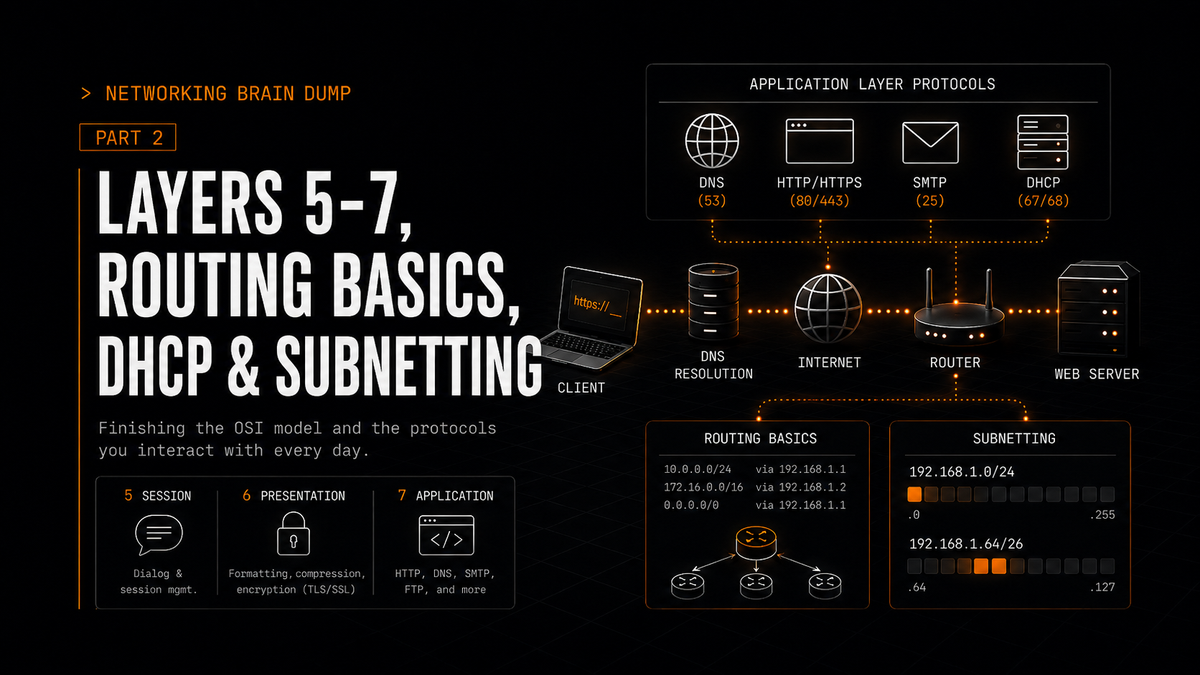
Part 2 of 6. Part 1 covered the OSI model and layers 1-4. This one finishes the model and then gets into the protocols you interact with every time you open a browser.
Layers 5, 6, and 7
Before getting into the application protocols themselves, the top three OSI layers deserve a brief explanation. In practice, most modern protocol stacks don't draw hard lines between these three - TCP/IP collapses them into a single "application layer" - but understanding what each one is responsible for helps make sense of how protocols like HTTP and DNS are designed.
Session Layer (Layer 5): Creates and maintains the dialogue between source and destination applications. It handles the exchange of information needed to start and keep sessions alive, and can restart sessions that go idle or get interrupted. Think of it as the part of the stack responsible for keeping a conversation going.
Presentation Layer (Layer 6): Handles data formatting, compression, and encryption. It makes sure data formatted at the source arrives in a format the destination can actually use. Common image formats like GIF, JPEG, and PNG live at this layer conceptually. So does SSL/TLS encryption, which sits between the application and the wire.
Application Layer (Layer 7): The interface between the network and the software using it. This is where DNS, HTTP, SMTP, FTP, and everything else the user actually interacts with operate. It's the closest layer to the end user.
DNS
Every time you type a URL into a browser, your computer needs to translate that domain name into an IP address before it can reach anything. DNS (Domain Name System) handles that translation.
The structure is hierarchical. At the top is the root, represented as a dot that usually isn't written out. Below that are TLDs (Top-Level Domains): .com, .org, .au, .co, and so on. Each TLD corresponds to a type of organization or a country of origin. Below the TLDs are second-level domains like cisco.com or github.com, and below those are subdomains.
The servers that handle these lookups are organized to match. Root servers know which servers are authoritative for each TLD. TLD servers know which servers are authoritative for specific second-level domains within their TLD. Authoritative name servers hold the actual DNS records for specific domains.
When a DNS server receives a query it can't answer from its own records, it has two options for finding the answer:
Iterative query: The contacted server doesn't do the lookup itself. It replies with the address of another server that's closer to the answer. The client's resolver follows the chain, asking each server in turn until it gets the final answer.
Recursive query: The contacted server takes on the work. It contacts other servers on behalf of the client, following the chain itself, and eventually returns the final answer directly. Most clients use recursive queries to their local resolver, which then uses iterative queries to work through the hierarchy.
DNS record types worth knowing:
- A: Maps a hostname to an IPv4 address.
- AAAA: Maps a hostname to an IPv6 address.
- NS: Identifies the authoritative name server for a domain.
- MX: Identifies the mail server responsible for receiving email for a domain.
To query DNS manually:
nslookup <hostname>
HTTP
When a URL is entered into a browser, the browser translates the domain to an IP address via DNS, then establishes a connection to the web server and requests content using HTTP (Hypertext Transfer Protocol). The URL itself points to a specific resource on that server.
HTTP request methods:
- GET: Retrieves the resource identified by the URL. The most common request type.
- HEAD: Retrieves the metadata about a resource without the resource itself. Useful for checking whether a document has changed without downloading it.
- POST: Sends data to the server and retrieves a result. Used when a user submits a form.
- PUT: Stores a resource at the location identified by the URL. Used for uploads.
- DELETE: Removes the resource identified by the URL.
- TRACE: Traces the path of a request through proxies and tunnels. Used for diagnostic purposes.
- OPTIONS: Queries the server for what methods it supports for a given resource.
Common HTTP status codes:
- 200 OK: Request succeeded.
- 301 Moved Permanently: The resource has moved. The new location is in the response.
- 400 Bad Request: The server couldn't understand the request.
- 404 Not Found: The resource doesn't exist at that URL.
- 505 HTTP Version Not Supported: The server doesn't support the HTTP version used in the request.
Web caches and proxy servers sit between clients and origin servers. If the cache already has the requested resource, it returns it directly without involving the origin server. If it doesn't, it fetches the resource from the server, stores it, and returns it to the client. Future requests for the same resource hit the cache instead of the server.
To avoid serving stale content, proxy servers use conditional GET requests: the proxy sends the request with an If-Modified-Since header containing the date it last fetched the resource. If the resource hasn't changed since that date, the server responds with 304 Not Modified and the proxy serves its cached version. If it has changed, the server sends the updated resource.
HTTPS is HTTP over TLS. The connection is encrypted. Everything else works the same way.
Email Protocols
Three protocols handle email at the application layer, each doing a distinct job:
SMTP (Simple Mail Transfer Protocol): Handles sending email. When a client sends a message, it goes out via SMTP. Server-to-server mail transfer also uses SMTP.
POP (Post Office Protocol): Retrieves email. Designed to download messages from the server to the client, typically deleting them from the server afterward.
IMAP (Internet Message Access Protocol): Also retrieves email, but keeps messages on the server and syncs state across devices. The standard choice for anything that needs to work across multiple devices.
FTP
FTP (File Transfer Protocol) transfers files between a client and server over the network. An FTP client connects to an FTP server and can push files to it or pull files from it. Simple concept, still shows up regularly in legacy systems and internal file transfers.
Routing
Routing is how packets get from one network to another. Routers maintain routing tables that map destination networks to next-hop addresses or exit interfaces, and they use those tables to forward each packet toward its destination.
Three switching mechanisms routers use internally:
Process switching: The CPU handles every packet individually. For each arriving packet, the CPU looks up the destination in the routing table, identifies the exit interface, and forwards it. Slow. Not used in modern networks except as a fallback.
Fast switching: The first packet to a destination goes through process switching and gets forwarded normally. The result of that lookup is cached. Every subsequent packet to the same destination skips the full lookup and just uses the cache. Faster, but the cache has to be populated on a per-destination basis.
Cisco Express Forwarding (CEF): Builds a Forwarding Information Base (FIB) and an adjacency table proactively, keeping them updated whenever the topology changes. Normal forwarding traffic does not need to be process-switched just to populate a cache, because the forwarding information is built ahead of time. The most efficient option and the default on Cisco hardware.
One note on serial links: unlike Ethernet, serial connections don't require source and destination MAC addresses in the Layer 2 header. Protocols like PPP and HDLC provide Layer 2 framing, but there is no Ethernet-style MAC addressing on the link.
Dynamic vs Static Routing
Routing can be configured statically (you define every route manually) or handled dynamically (routing protocols exchange information between routers and build the table automatically).
Dynamic routing uses two categories of protocols:
IGP (Interior Gateway Protocol): Used for routing within a single autonomous system (AS). Examples include OSPF and EIGRP, covered in Parts 4 and 5.
EGP (Exterior Gateway Protocol): Used for routing between autonomous systems. BGP is the only EGP in practical use, and it's what connects ISPs to each other and to their customers. Covered in Part 5.
There are three protocol types across both categories:
- Distance-vector: Each router knows only what its neighbors tell it: the metric (cost) to reach a destination and the direction to go. Routers share their routing tables with neighbors and trust those neighbors' information. EIGRP is the notable example.
- Link-state: Each router builds a complete map of the network topology. All routers in an area share the same view. OSPF uses this approach.
- Path-vector: Routes are selected based on attributes of the path rather than a single numeric metric. BGP is the example. It knows not just the cost but the full AS path a route takes, enabling policy-based routing decisions.
How the routing table is built:
When multiple routing sources advertise the same destination, the router uses Administrative Distance (AD) to pick the most trustworthy source. Lower AD wins. If two routes to the same prefix come from the same routing protocol, the one with the lower metric wins. Routes with different prefix lengths (like /19, /24, and /26 all for the same address block) are all installed as separate entries because they're considered different destinations. When a packet arrives, the router uses the longest prefix match: the most specific route that covers the destination IP address.
Static Routing
Static routes are manually configured entries in the routing table. They don't adapt to topology changes, but they're simple, predictable, and have no protocol overhead.
Default static route (0.0.0.0/0): Matches any destination that doesn't have a more specific entry in the routing table. Traffic that doesn't match anything else gets forwarded here. Sometimes called the "gateway of last resort."
Summary static route: Aggregates multiple more-specific routes into a single entry using supernetting. Instead of four /24 routes, one /22 static route covers all of them.
Floating static route: A backup route with a manually configured AD set slightly higher than the primary route (static or dynamic). Normally not installed in the routing table because the primary route wins. If the primary route disappears, the floating static route becomes active.
DHCP
DHCP (Dynamic Host Configuration Protocol) automatically assigns IP addresses and other network configuration to devices when they connect to a network, removing the need to configure each device manually.
IPv4: DORA
The IPv4 DHCP exchange follows four steps, remembered as DORA:
- Discover: The client broadcasts a DHCP Discover message. It doesn't have an IP address yet, so it can't send a unicast packet.
- Offer: A DHCP server responds with an Offer message containing an available IP address and other configuration details (subnet mask, default gateway, DNS servers, lease duration).
- Request: The client broadcasts a DHCP Request message accepting the offered address. This is still a broadcast because multiple DHCP servers might have responded and the client needs all of them to see which offer was accepted.
- Acknowledge: The server confirms the lease with an ACK. The client can now use the address.
When the lease is about to expire, the client sends a new Request message to renew it. The server responds with another ACK to extend the lease.
IPv6: SLAAC, Stateful, and Stateless DHCP
IPv6 offers three address assignment methods, indicated by flags in the router's RA (Router Advertisement) message:
Stateful DHCPv6 (M flag = 1, O flag = 0): Works almost like IPv4 DHCP. A DHCPv6 server assigns addresses and all other configuration. The router's RA tells clients to use DHCPv6 for address assignment. The difference between IPv4 DHCP and this is that DHCPv6 can provide the IPv6 address and other options like DNS servers, but the default gateway still comes from the router advertisement, not DHCPv6.
*Pro Tip > In IPv6, the Default Gateway is almost always the Link-Local address (fe80::/10) of the router interface, rather than a Global Unicast Address (GUA). This represents a significant architectural shift from IPv4, where the "Default Router" option typically provides a public or private routable address.
SLAAC (M flag = 0, O flag = 0): Stateless Address Autoconfiguration. The client sends an RS (Router Solicitation) message to the router, which replies with an RA containing the network prefix. The client generates its own IP address by combining that prefix with its own interface identifier (typically derived from its MAC address). No DHCP server involved.
Stateless DHCPv6 (M flag = 0, O flag = 1): The router provides the IP address via SLAAC as above, but also tells the client to contact a DHCPv6 server to obtain other configuration details like DNS server addresses. The address comes from SLAAC; everything else comes from DHCPv6.
Subnetting
Subnetting divides a single network block into smaller networks. The formulas are straightforward once you understand what you're calculating.
Number of subnets: 2^n, where n is the number of bits borrowed from the host portion of the address.
Number of usable hosts per normal IPv4 subnet: 2^n - 2, where n is the number of remaining host bits. Two addresses are subtracted because the network address (all host bits 0) and the broadcast address (all host bits 1) cannot be assigned to hosts. There are exceptions like /31 point-to-point links and /32 host routes, but this formula is what you use for normal subnetting problems.
Subnet increment: 2^n, where n is the position of the last network bit within its octet, counting from 0 at the rightmost bit.
To find the position of the last network bit, write out the subnet mask in binary and find where the 1s end:
/22 in binary: 11111111.11111111.11111100.00000000
The last 1 is in the second position from the right within the third octet (position 2, since you start counting at 0). So 2^2 = 4, and subnets increment by 4 in the third octet: x.x.0.0, x.x.4.0, x.x.8.0, and so on.
Part 3 covers the switching world in depth: VLANs, VTP, DTP, Spanning Tree Protocol, and EtherChannel.
Part 2 of 6 in the Networking Brain Dump series.